
AI image and video generation has evolved rapidly, offering powerful creative possibilities. But without the right approach, results can feel inconsistent or unrealistic.
The difference isn’t just the tool it’s how you guide it.
At Ishikawa Solutions, we approach AI like any system:
structured input = better output.
Here’s a simple framework to help you generate more accurate and visually consistent results.
1. Start with a Compositional Reference
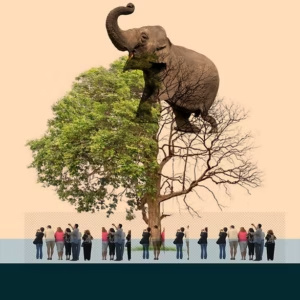
Before prompting, define the structure.
A compositional reference helps AI understand:
- Layout
- Scale
- Spacing
- Visual hierarchy
This can be:
- A rough sketch
- A wireframe
- A PNG collage
- A basic layout mock
Focus on structure, not realism.
Think of it as a blueprint the AI fills in details, but you define the foundation.
2. Define a Style Reference

Once structure is clear, guide the aesthetics.
Style defines:
- Mood
- Lighting
- Color tone
- Visual language
Different tools handle this differently:
- Midjourney → style references / codes
- Adobe Firefly → image-based references
You can use platforms like Pinterest to find visual direction.
👉 This ensures your output isn’t random it’s intentional.
3. Prompt with Clarity (Not Noise)
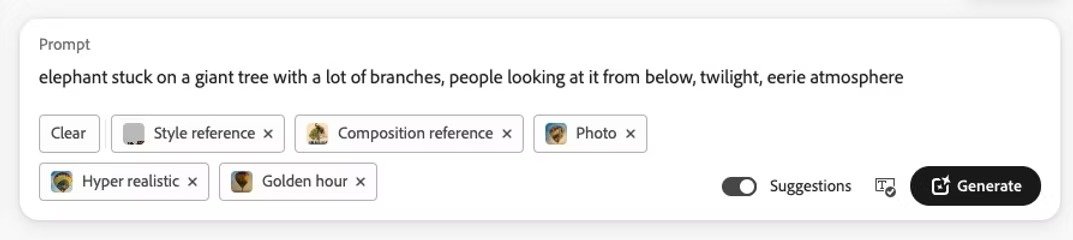
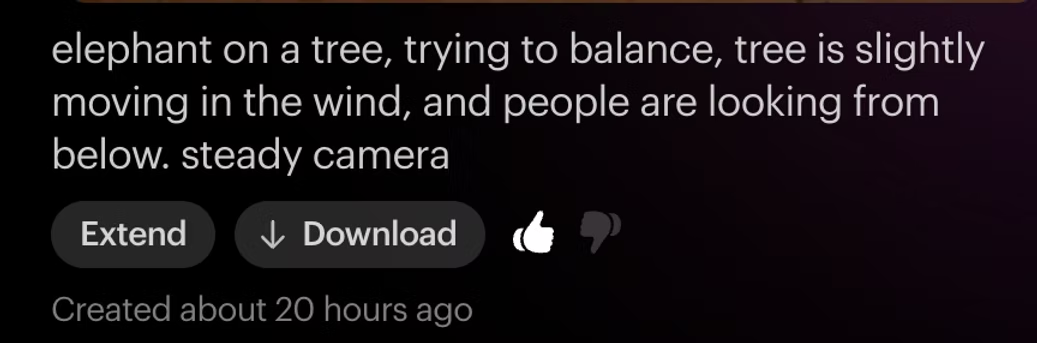
Most beginners overcomplicate prompts.
Avoid unnecessary words like:
- “create”
- “generate”
- “add”
Instead:
- Be descriptive
- Be logical
- Be specific
Use:
- Your composition → for structure
- Your style → for aesthetics
Example approach:
👉 Subject + Environment + Lighting + Mood + Style
The clearer your input, the better the output.
Applying This in Real Projects
AI works best when treated as a system, not magic.
In real-world use:
- Start with a clear idea
- Structure the output
- Refine through iteration
At Ishikawa Solutions, we use this approach to build AI-driven workflows, visual systems, and scalable creative outputs not just one-off results.
Explore our AI & Automation services to see how we implement this in real business use cases.
Final Thought

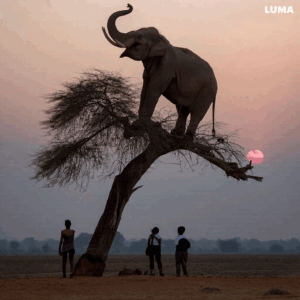
AI doesn’t replace creativity it amplifies it.
But only when guided correctly.
The goal isn’t just to generate images or videos.
It’s to build repeatable, reliable creative systems.
Attribution
This article is inspired by insights shared by Mahesh Ravi, adapted and expanded with Ishikawa Solutions’ approach to structured problem-solving and AI workflows.